

Updated November 2026. I just updated my resume and my LinkedIn, and I'm not looking for a job. The whole thing took about 10 minutes, because the wins were already collected. That's this system paying off, so I added a new Step 5 with exactly how I did it, plus the goal tracker I use all year. If you came here from my reel, hi! This is the wins-folder guide.
There's an overwhelming amount of career advice floating around LinkedIn, Twitter, and every productivity newsletter in your inbox.
Most of it sounds good in theory but falls apart in practice.
But there's one piece of advice I received in my career that I've watched work firsthand—for myself and dozens of others I've mentored:
Document your wins.
Not during annual review season when you're frantically trying to remember what you did in March.
Not when a recruiter reaches out and suddenly you need to update your resume.
Right now. This week. Every week.
Why Most People Don't Do This
Let's be honest - documenting feels like extra work. You're already busy shipping campaigns, putting out fires, and attending back-to-back meetings.
The idea of adding "document my achievements" to the to-do list feels like one more task you don't have time for.
But here's what I learned the hard way:
When I didn't document my wins, I consistently undersold myself. In interviews, I'd give vague answers like "I worked on ABC campaign that did better than previous campaigns". Better how? By how much? I struggled to define what 'better' looked like and tie it back to business impact because I have the memory of a fish sometimes, and I had simply forgotten about that campaign and its results by the time I needed to speak about it in a different context.
The work was great. The proof? Nowhere to be found.
(This is also why my resume had nothing about my current role until this month lol.)
My System for Documenting Wins (That Actually Works)
After years of trial and error, I've landed on a five-step system that takes minimal time but delivers massive returns.
Step 1: Capture in the Moment
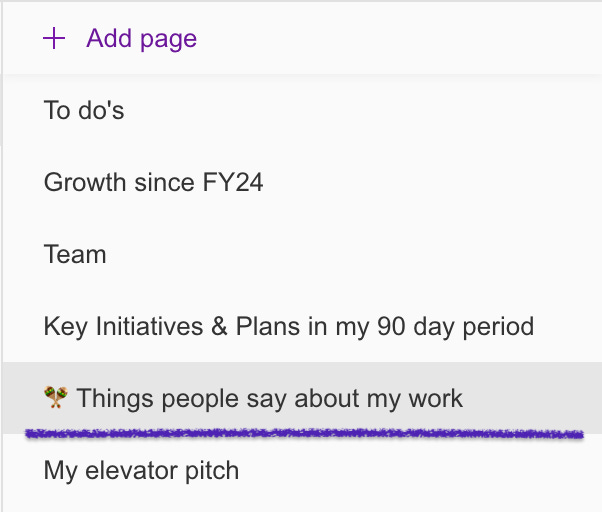
I keep a simple running note titled "Wins & Proof" (it started as a Google Doc, and this year it lives in OneNote) and a running note called "Things people say about my work".
Every Friday afternoon (I block 15 minutes on my calendar), I add three things:
What shipped this week – even small launches count
The metric that moved – traffic increased, conversion improved, engagement went up
Visual proof – screenshots of Slack kudos, analytics dashboards, positive email feedback, or customer testimonials
This is the most important step because memory fades fast. That campaign you're proud of today? In three months, you won't remember the exact numbers or why it worked.
Takes 15 minutes. Saves hours later.
New this year: I do my work for each goal inside its own Claude project. So on top of my wins note, each project keeps a full year of context on what I built and what moved. More on why that mattered in Step 5.
Step 2: Organize by Future Use Case
Raw documentation is helpful, but organized documentation is powerful.
I sort my wins into five buckets based on how I'll eventually use them:
LinkedIn posts – Campaigns with clear before/after stories that would resonate with my network. These become content that builds my personal brand.
Resume bullets – Quantified outcomes directly tied to business goals. These follow the format: "Action + Result + Business Impact."
Case studies – Full project breakdowns including the challenge, my approach, what I did, and the results. These become portfolio pieces.
Interview stories – Specific examples of problems I solved, organized by common interview themes (leadership, conflict resolution, innovation, failure).
Your annual review – Wins mapped to the goals you'll be measured on. This one turns out to feed all the others.
Step 3: Create Artifacts While It's Fresh
When a major project or campaign wraps, I (try to) do something most people skip:
I spend 30 minutes creating a proper artifact while the details are still fresh.
These days I do most of my work in Claude, so the context is already there. I ask it to turn the project into a short recap (or a deck when I need one), without the hassle of wrestling with PowerPoint or Google Slides.
These recaps have become invaluable for:
Stakeholder updates – showing executives what marketing actually accomplished
Portfolio pieces – walking interviewers through real work during job searches
Team documentation – helping new hires understand what good looks like
LinkedIn content – sharing wins publicly when appropriate (with sensitive data removed)
The key is doing this immediately after project completion, not six months later when you're trying to piece together what happened.
Step 4: Count the "Non-Work" Work Too
Here's something most people miss: side projects and self-initiated work absolutely count as wins.
That AI tool you built to automate your weekly reporting? That's a win.
The custom GPT you created that your team now uses daily? That's a win.
The internal process doc you wrote that onboards new marketers 50% faster? That's a win.
These examples demonstrate initiative, curiosity, and problem-solving beyond your job description. They're often more impressive than official "responsibilities" because you identified a gap and filled it without being asked.
Document these too.
Step 5: Cash It In at Review Season
This is the part I didn't know I was building toward when I first wrote this post.
It's annual performance season at work. Like every year, I filled out my self-assessment: where I stand on each of my goals, the results, and the examples that best show my impact. I was doing that reflection anyway, for the conversation with my manager.
Then I took everything I'd already pulled together and fed it into AI. It helped me update my resume and my LinkedIn. About 10 minutes, that's it.
(And no, I'm not job hunting! I think of it as career maintenance. I just didn't want a whole year of work to live only in an HR system.)
The update was fast because the wins were already collected. The hard part isn't the resume. It's having the material.
What made it fast
Three things were already in place:
A goal tracker I updated all year. One spreadsheet with my goals and a running notes column. I added status updates as things happened, and some were messy (one of my mid-year notes literally ends with "anything else to do here?" lol). At review time, those notes became the final write-up. Template below.
My wins note. Milestones, results and things people said about my work. Same idea as Step 1.
A separate Claude project for each goal. This was new this year and the biggest help. I worked on each KPI in its own project, so each one held a year of context: what I built, what changed, the numbers along the way. At review time I asked each project to summarize what I'd done for that KPI. Instead of digging through a year of emails and docs, I was editing summaries.
How I did it
Recap each goal. In each Claude project (a ChatGPT project works the same way), I asked for a summary of what I'd done that corresponded to that KPI.
Finish the review. I combined those summaries with my wins note and wrote the final results for each goal.
Turn the review into resume and LinkedIn updates. I gave AI my completed review and asked it to update my resume and LinkedIn with my most recent experience from the past year, including the highlights and key results that make sense for each.
Check every line. AI drafts, you verify. My draft came with a short fix list: a number to fill in, a budget figure that didn't match between my resume and LinkedIn, and an end date that was off by a month. Also keep anything confidential out, like client names, internal project names and numbers you're not allowed to share.
The prompts
I didn't use a fancy prompt (I just typed what I wanted). Here's a cleaned-up version of both so you can copy them.
Prompt 1: Recap one goal. Run it in each project, or paste your notes.
I'm writing my annual performance review. My goal for this area was: [paste goal].
Based on everything we've worked on [in this project / in the notes below], summarize what I did this year that maps to this goal. Include the actions I took, results with numbers wherever we have them, what changed compared to before, and any feedback I got.
Flag anything that's still in progress. Don't invent numbers. If something is missing, tell me.
Prompt 2: Review → resume and LinkedIn.
Here's my completed performance review for this year: [paste].
Here's my current resume and LinkedIn: [paste].
I want to update my resume and LinkedIn with my most recent experience from the past year. Include the highlights and key results that make sense for each. Give me: updated resume bullets for my current role, an updated summary, a LinkedIn headline, edits to my About section, and my LinkedIn experience entry.
Keep anything confidential out (client names, internal project names, numbers I can't share). End with a list of anything I need to check or fill in before I publish.
Before and after
Before: my resume had nothing about my current role. I started in January and hadn't touched it since.
After: a full section on this year, a new summary and a new LinkedIn headline. Here's how one long paragraph from my review became one resume line:
In my review: a paragraph about turning our solutioning process into two documented workflows the wider team now uses, which moved my own throughput from one to two opportunities a week to five to seven.
On my resume: "Lifted solutioning throughput from 1–2 to 5–7 opportunities a week."
The goal tracker template
One row per goal, six columns:
Goal – worded the way it is in your review system
Actions – what you planned to do
Expected results – what success looks like
Running notes – updated all year. Status, ideas, questions to yourself. Messy is fine
Year-end results – the write-up you submit
Best examples of impact – 2–3 short stories, each with a number
A few things I learned filling mine out:
Don't polish the running notes. Their job is to exist. You'll write the final version at the end.
Lead each result with the outcome against the target ("X, against a target of Y"), then explain how.
The examples column is the gold. Those stories become your resume bullets, your LinkedIn post ideas and your interview answers.
Review season checklist (save this)
If you've already pulled your info together for the conversation with your manager:
Recap each goal (Prompt 1)
Finish your self-assessment
Run Prompt 2 with your current resume and LinkedIn
Check every number and date against your review
Take out anything confidential
Update your resume, LinkedIn headline, About section and experience entry
Add one more win to your wins note while you're in there
Why This System Actually Works
Most people operate on one of two extremes:
They remember nothing and wing it during performance reviews
They try to document everything and burn out from the admin load
This system finds the middle ground.
It's lightweight enough to maintain. Fifteen minutes a week isn't a burden. It's less time than you spend in a single status meeting.
It compounds over time. After six months, you'll have 25+ documented wins. After a year, 50+. That's a powerful arsenal when you need it.
It gives you confidence. When you're negotiating a raise or interviewing for a new role, you won't be guessing about your impact. You'll be pulling receipts with timestamps and metrics.
It pays off even when you're not looking. This year a full year of work went onto my resume and LinkedIn in about 10 minutes, and I'm not job hunting.
The Real Shift: Treating Your Career Like an Asset
Here's the mindset change that makes this all click:
Documenting wins isn't bragging. It's not vanity. It's not corporate theater.
It's treating your career like the asset it is.
I've started calling it career maintenance. Small, regular upkeep, so nothing turns into a scramble when you need it.
You wouldn't invest thousands of dollars without tracking returns. You wouldn't run a marketing campaign without measuring results.
Why would you invest thousands of hours into your career without documenting the value you've created?
Your work has impact. But impact without documentation is impact that gets forgotten, undervalued, or misattributed.
Your Move: Start Today
You don't need to overhaul your entire system or create the perfect documentation workflow.
Just start.
Open a Google Doc right now. Title it "Wins & Proof."
Add one thing from this past week. Just one.
What did you ship?
What moved?
What feedback did you get?
Screenshot it. Write two sentences about it. Save it.
That's it. You've started.
Next Friday, add one more.
And if it's review season for you right now, take five to ten more minutes after your self-assessment. Feed it to AI. Update your resume and LinkedIn while it's fresh.
In three months, you'll have a library of proof that most people can only dream of having when opportunity knocks.
Future you—the one negotiating a raise, landing a dream job, or finally getting the recognition you deserve—will thank you. ;)
What's one win from this year that isn't on your resume yet? I'd love to hear about it. Reply and let me know what you're working on.